

Industry Practices
Integrating AI in Design
- WRITTEN BY
- Malena López
- PUBLISHED
- Aug, 2024


Over the past few months, I’ve been exploring the capabilities of AI, experimenting with different tools and techniques to see how they can enhance my work. This journey has been both challenging and enlightening, as I’ve had to adapt my creative process to integrate these new technologies. The experience has made me reconsider what it means to be a designer in the digital age.
Exploring AI in Design
In this article, I want to share my thoughts and experiences with you. I’ll discuss the practical aspects of working with AI, the unexpected challenges, and the surprising benefits.
There’s no exact formula for working with AI. At a brand design studio like Selma Digital, we’ve been diving into this world, incorporating AI into our daily routines. Occasionally, it feels like I’m betraying my profession’s values by creating images with AI because it seems so easy. Imagine if Michelangelo had used a paint roller and spray paint for the Sistine Chapel. But let me tell you, it’s not easy at all.
Adapting Design Practices in the Digital Era
Back in school, we had to turn narrative concepts into collages using photos cut out from magazines. Selecting these photos meant digging into our minds for stored memories and data. For instance, if I think of a “mountainous landscape where calm and quiet reign,” I’d look for images with earthy tones, nature, and maybe an animal grazing. For designers, the process of searching, selecting, and creating images is about finding the perfect pieces for the visual puzzle I want to create. Working with AI is exactly that but on a whole new level.
AI as a Design Tool
At Selma Digital, a brand identity design agency, AI is just another design tool—an incredibly sophisticated one—but it’s combined with our traditional work. The real mastery lies in knowing what to search for and how to combine it. As designers in a brand and design agency, communication is the most important part of our job, and words carry a lot of weight. Using AI tools challenges this skill: how do I put into words what I usually communicate to my brain to create images and concepts? How do I explain to a program exactly what I want to achieve visually?
The Power of Semantics
Putting a visual idea into words is a clarifying and useful exercise. It helps refine rhetoric and correct it if the result isn’t what you wanted. This isn’t a new practice, but now it’s much more tangible. Over time at Selma Digital, we’ve refined practices that align with our goals. As a design and brand agency, we have workflows and processes that consistently lead to higher quality results.
This process of putting visual ideas into words:
▪Clarifies Intentions: It forces designers to think deeply about what they want to achieve, ensuring their intentions are clear.
▪Refines Concepts: By articulating ideas, designers can identify potential flaws or areas for improvement in their concepts.
▪Enhances Communication: It improves the ability to communicate ideas to others, whether they are clients, team members, or AI systems.
So, let’s go back to the collage example. This is how my 11-year-old self would have created the image for “a mountainous landscape where calm and quiet reign.” My younger self would flip through magazines and newspapers, cutting out images that evoked ‘calm,’ ‘mountains,’ ‘landscapes,’ and ‘nature’ to her. She would then piece them together into a collage to represent the idea of the premise.

I know that this process involves stumbling upon concepts by chance while flipping through a magazine. Today, she could have also searched online for specific nouns she already linked with the concept and printed them out. Although this was in the early 2000s, working with paper was much more feasible and common!
The “google search” approach shows the evolution of searching: from an index-like or more “random” exploration to generating images through words. We find the connection between past and present, showcasing the evolution of searching for and generating images through words. Before AI, I’d look for visual references in free or licensed image banks and edit the selected images to create a new interpretation. But we all know that due to skill limitations, tools, or time, we don’t always get the desired result.
Before AI, I’d look for visual references in free or licensed image banks and edit the selected images to create a new interpretation. But we all know that due to skill limitations, tools, or time, we don’t always get the desired result. Using an AI tool, now, I can create something like this:
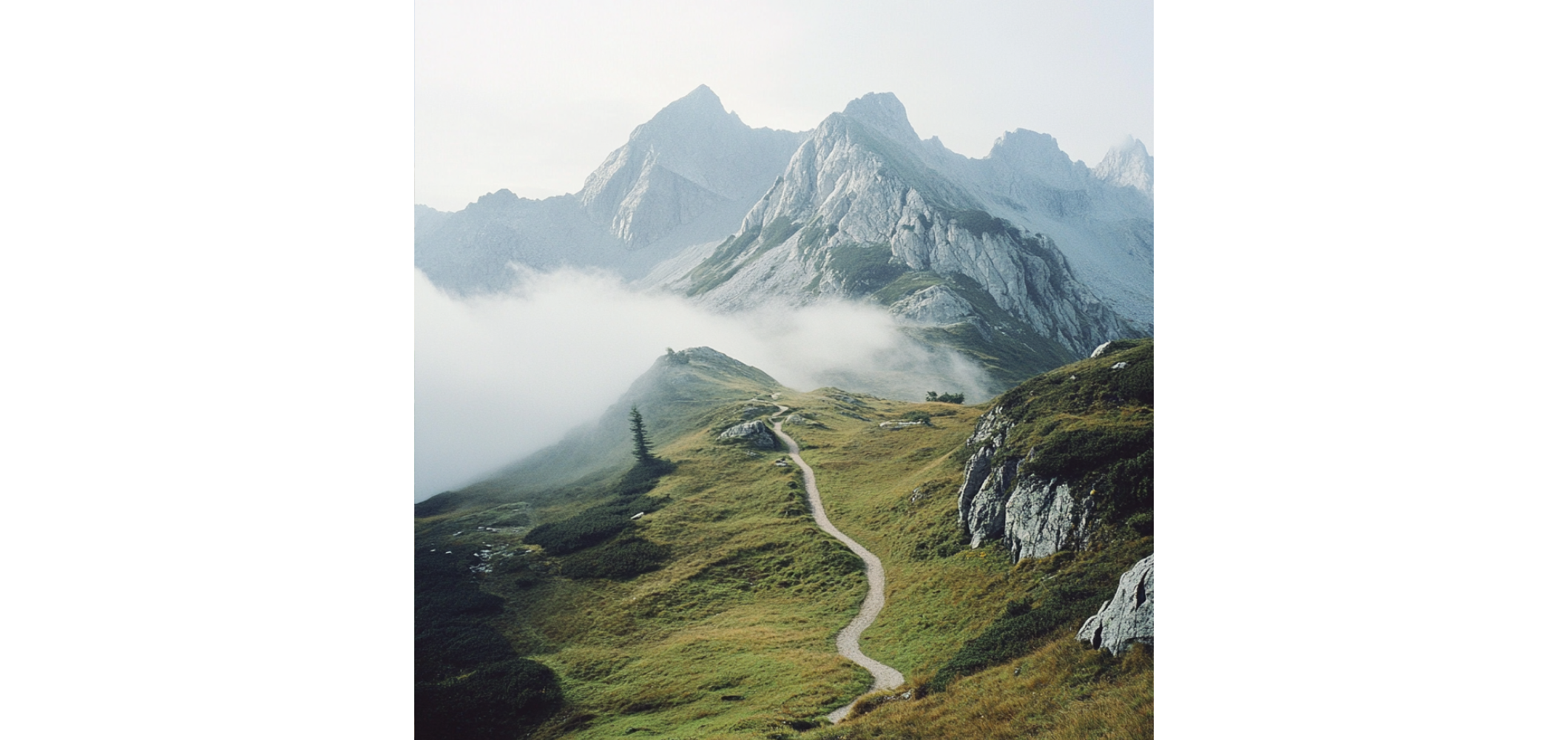
mountainous landscape where calm and quiet reign
Although the last image aligns better with the image in my head, it can still be improved to meet certain style criteria, not just conceptual ones. I might need the image to follow a specific look and visual style, which can be hard to get right just with words. When we’re not specific with the prompt, we leave many variables up to the AI that we can’t control. It’s a job that requires many hours of trial and error, just like creating those images manually in Photoshop. Sometimes, it feels like wasted time, but it’s actually a way to understand better how this tool “thinks” and interprets.
Understanding Prompts and Parameters
In this particular case, I used Midjourney. This software, among many others, has numerous parameters that can be applied to achieve much more consistent and aligned images with the prompt.
And what’s a Prompt?
A “prompt” is the text you give to the AI to understand what image you want it to create. The clearer and more detailed the prompt, the better the image you’ll get.
There are tons of parameters you can add to a prompt to get an image that aligns with your vision. Here are some we regularly use in the studio.
Pushing AI Creation Further
Style References
We’re all familiar with style moodboards made before a visual creation. With this parameter, we select images from moodboards that evoke the desired visual language. This parameter allows the AI to read the URL tagged as “style reference” and create something that matches its vibe and aesthetic. You can use one or more images for reference.
To use it, add the parameter next to your prompt –sref [imgURL]

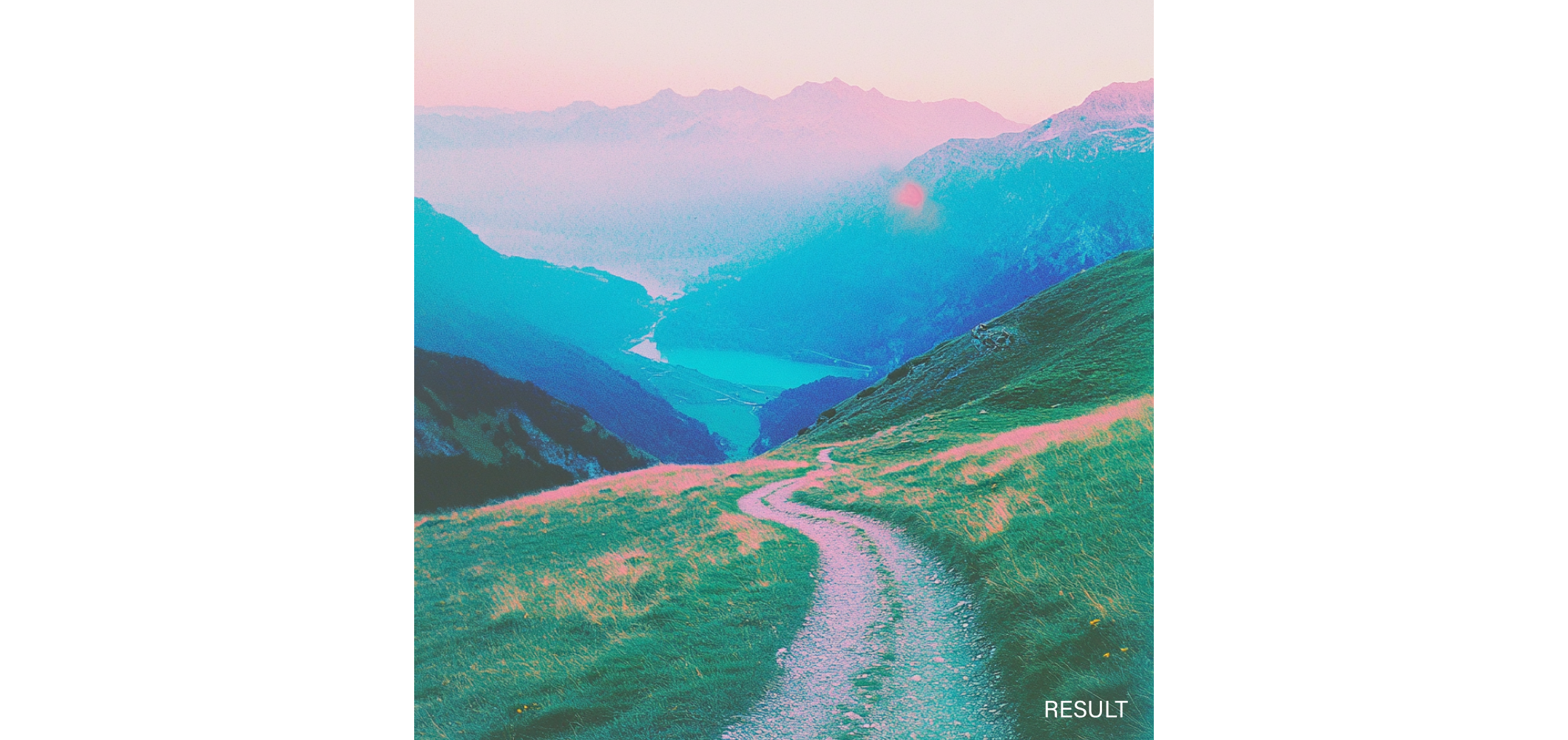
mountainous landscape where calm and quiet reign –sref [imgURL1] [imgURL2]
Also, if you don’t want your image to be so influenced by the references, you can set the total strength of the stylization via –sw 100 (100 is default, 0 is off, 1000 is maximum)
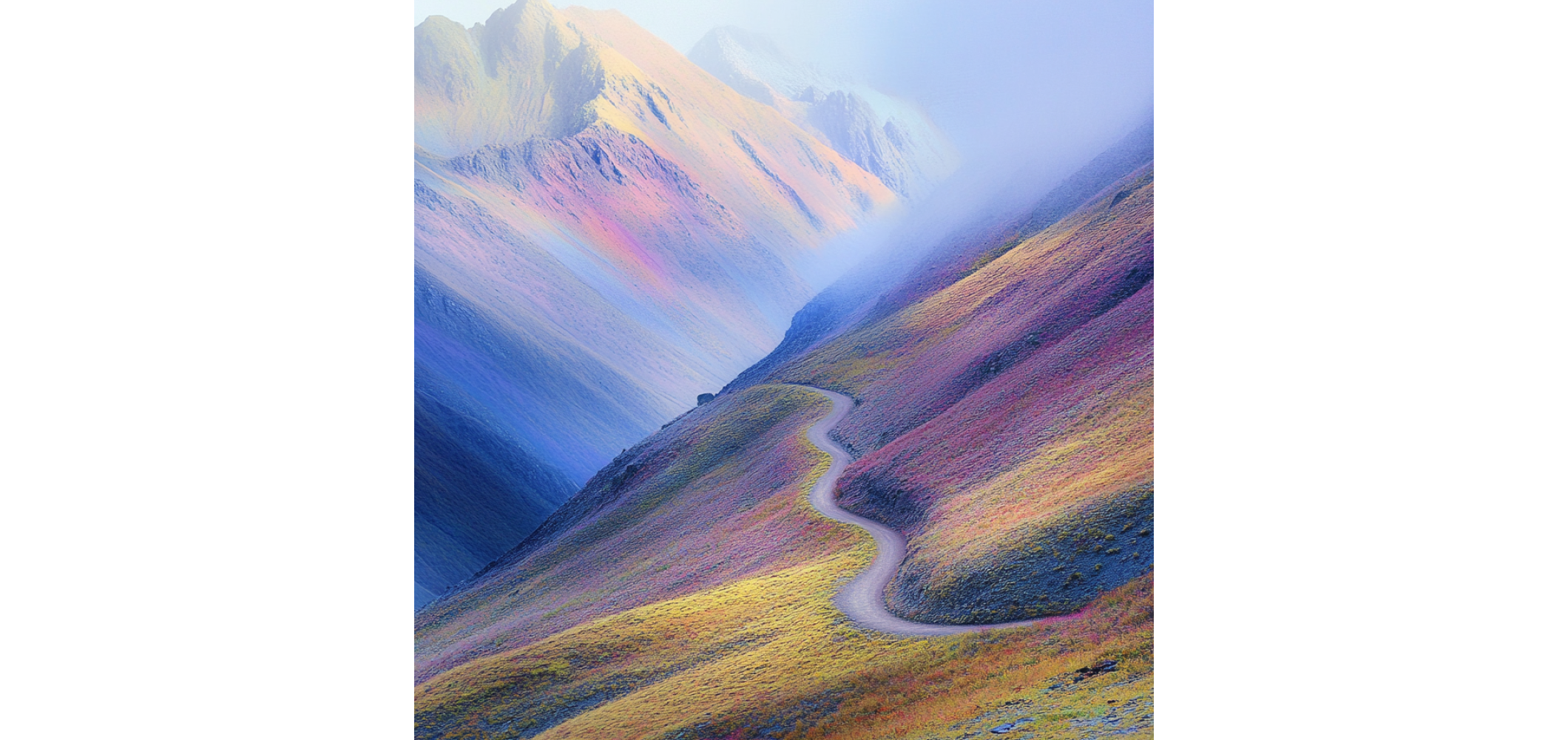
mountainous landscape where calm and quiet reign –sref [imgURL1] [imgURL2] -sw 25

mountainous landscape where calm and quiet reign –sref [imgURL1] [imgURL2] -sw 1000
Color Palette Direction
You can also use that same parameter to indicate a color palette. Select a palette representing the percentage of each color value you want to apply and provide a reference image from which the AI extracts the predominant colors. This ensures that the new image aesthetically aligns with the reference image’s palette, maintaining visual consistency in projects where color is key.

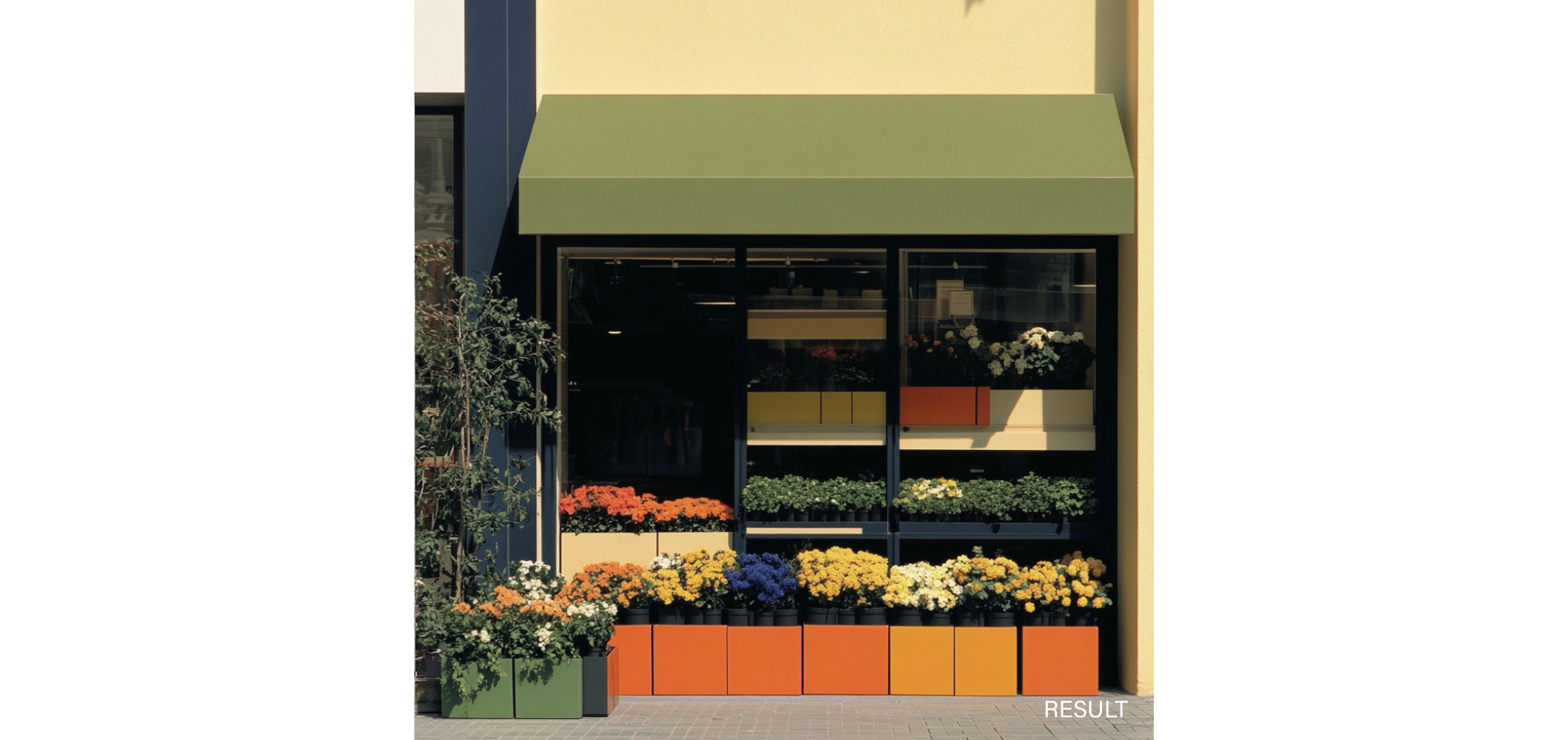
street style photo of a flower shop –sref [imgURL]
And another example of the –sw parameter applied, this case in 50 to minimize the influence of the reference image
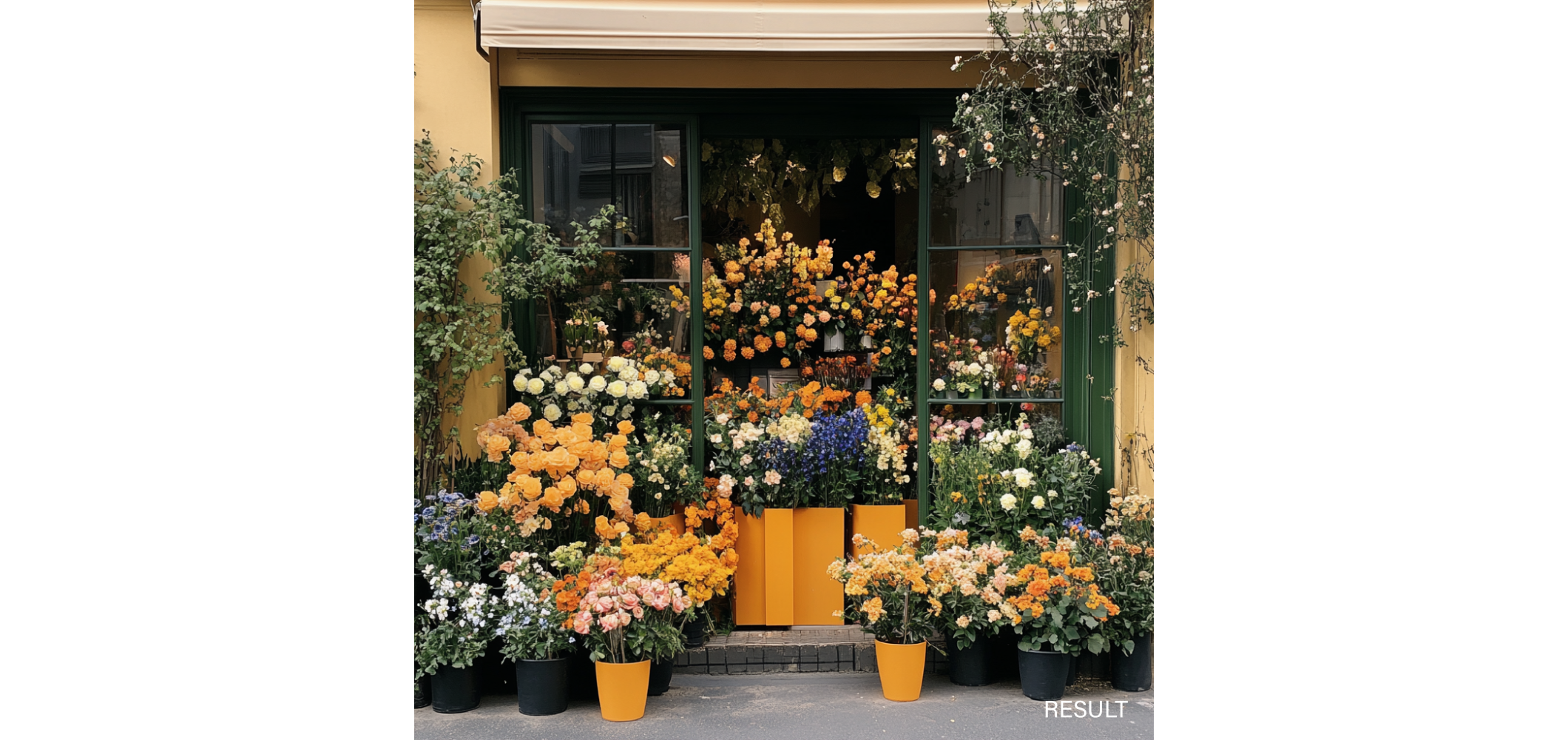
street style photo of a flower shop –sref [imgURL] –sw 50
Conclusion
As we venture into this new and ever-changing field of artificial intelligence, it is essential to remember that our true skill lies in mastering visual communication. AI is a powerful tool that can enhance our creative abilities, but the artistic direction and conceptualization remain our responsibility. As designers in the best brand design studios, we are the ones who define and direct the purpose and essence of each visual creation.

